Simple reminders.
Seriously powerful.
Never forget a thing.
From scheduled alarms to gentle nudges to location triggers, Ruff delivers the right reminder at the right time.
Powered by dynamic scheduling and smart recurrence rules, reminders show up when they make sense, so nothing slips and things get done.

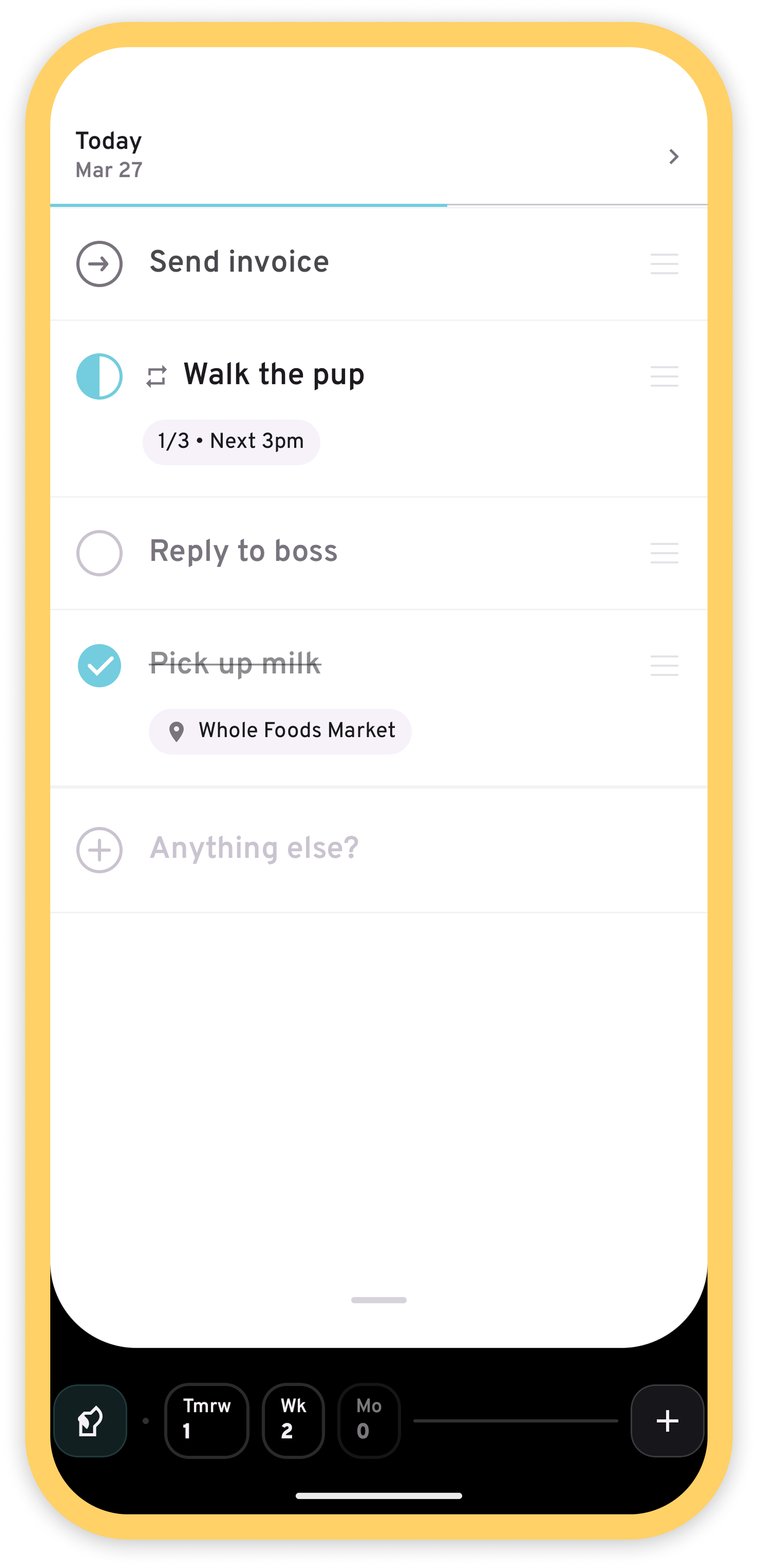
How it Works
The focus is on today, so you stay present and on track.
The Checkbox
Every reminder’s checkbox supports natural interactions to help you quickly and meaningfully manage your day.
| State | Gesture | What it does | |
|---|---|---|---|
| Not started | Tap | Marks as in progress | |
| ➔ | Next | Tap | Marks as in progress |
| In progress | Tap | Starts a focus session | |
| ✓ | Done | Double tap | Resets state |
| Any | Hold | Mark as complete |
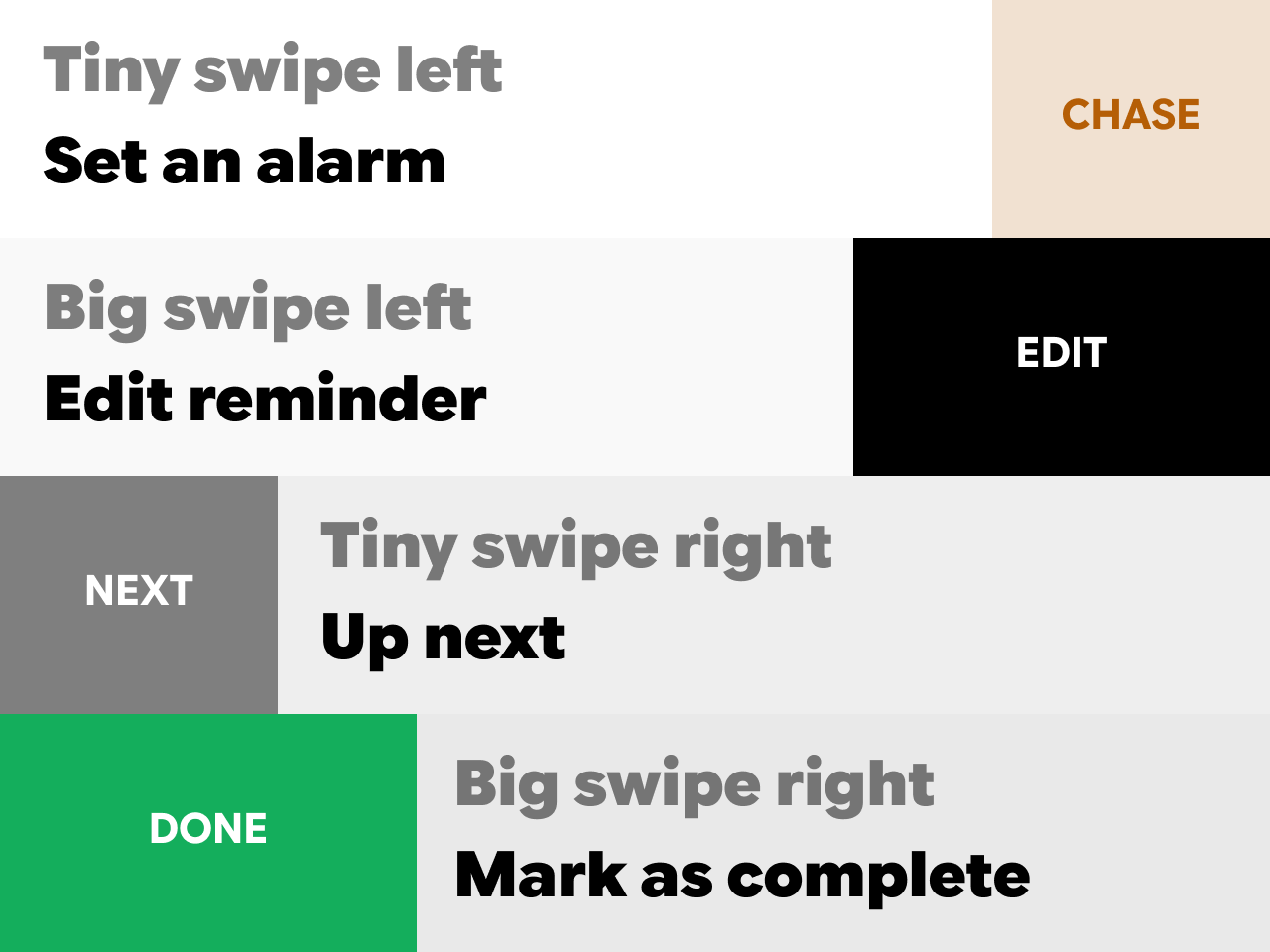
Swipe Actions
Intuitive swipe actions let you signal intent and ask for help.
Use Natural Language
Add reminders the way you’d normally write them. Include a due date like “next week”, “this weekend”, or a specific date, and ruff works out when it’s for. Give a time like “at 5pm” or “in 3 hours”, and ruff gets an alarm ready too.
Pro tip: Shortcuts work too — try “3d” or “4w” when you want to add something fast.
Quick Entry
Add an item to today in seconds with inline entry. You can set an alarm at the same time too.
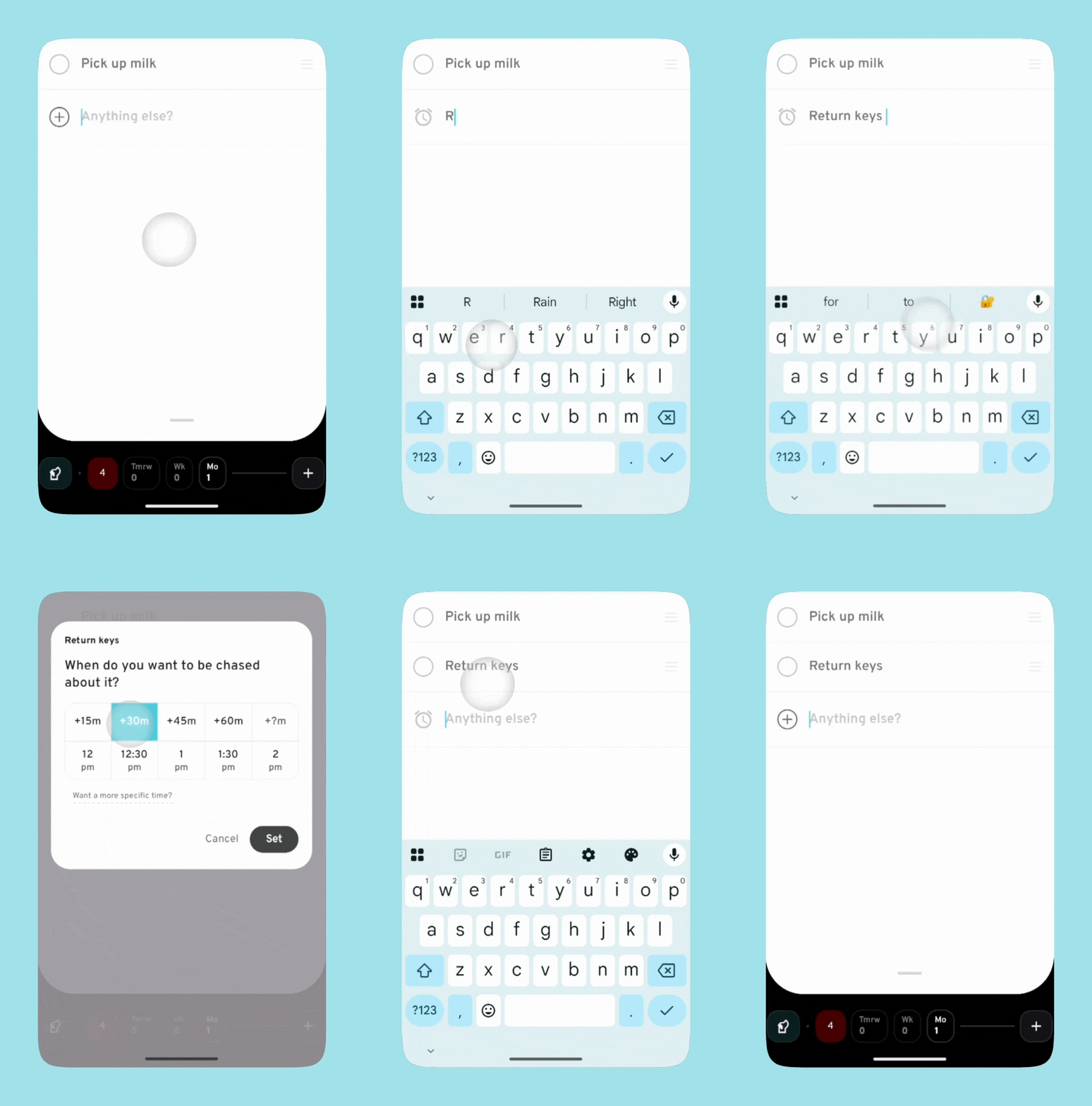
Pro-tip: swipe left to add another quick entry, or tap the tick on the keyboard when you're done.
Changes on the fly
Tap the title to quickly edit, or drag the handle to reorder items.
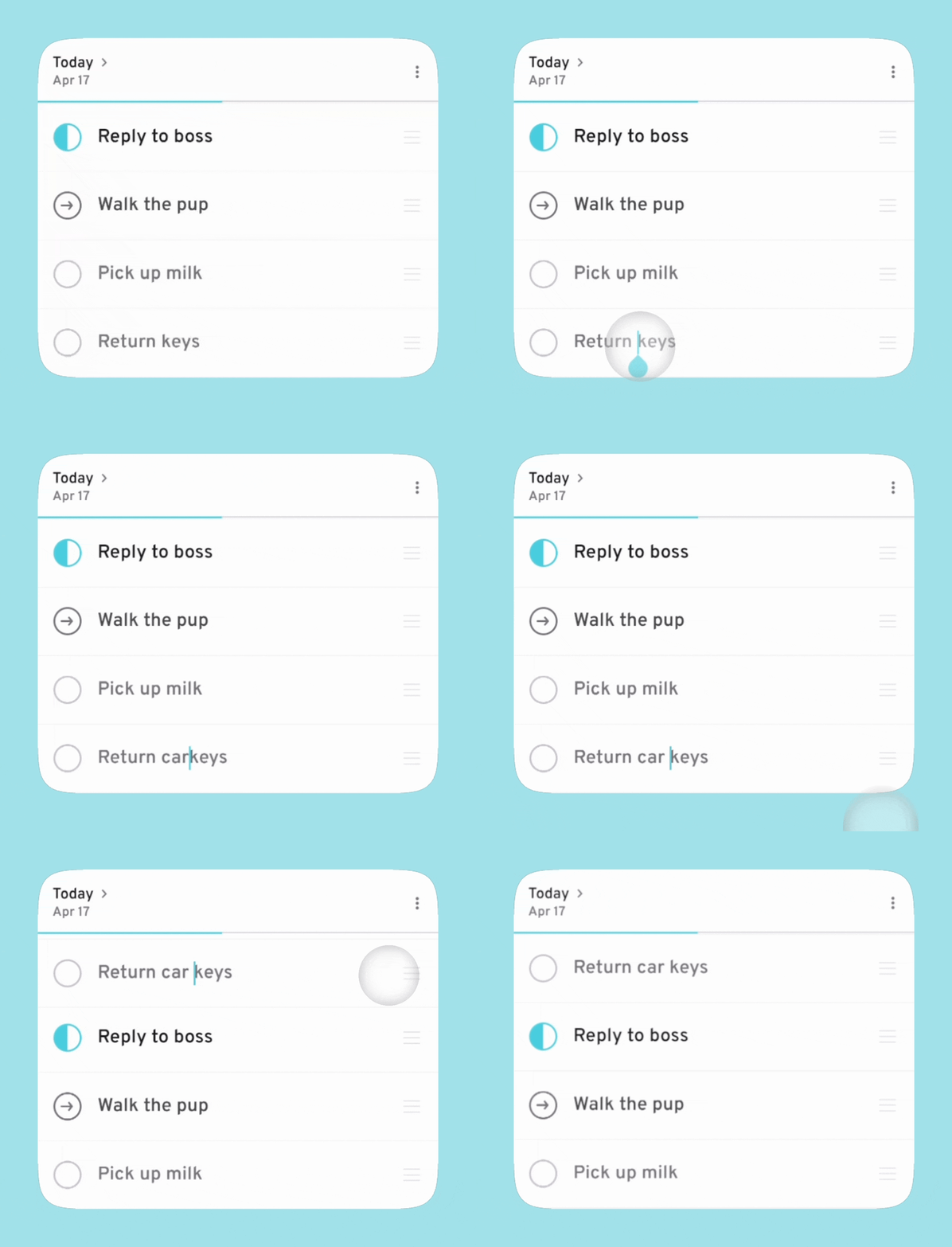
Pro tip: you can also drag a reminder to the Command Bar to postpone it. More on this below.

This is your Command Bar.
It's divided into 3 parts:
- Pup: manage today’s notifications and alarms.
- Chips: see what’s overdue, coming up tomorrow, needs to be done this week, and by the end of the month.
- Plus: open advanced entry.
Shift Mode
Plans change. No problem!
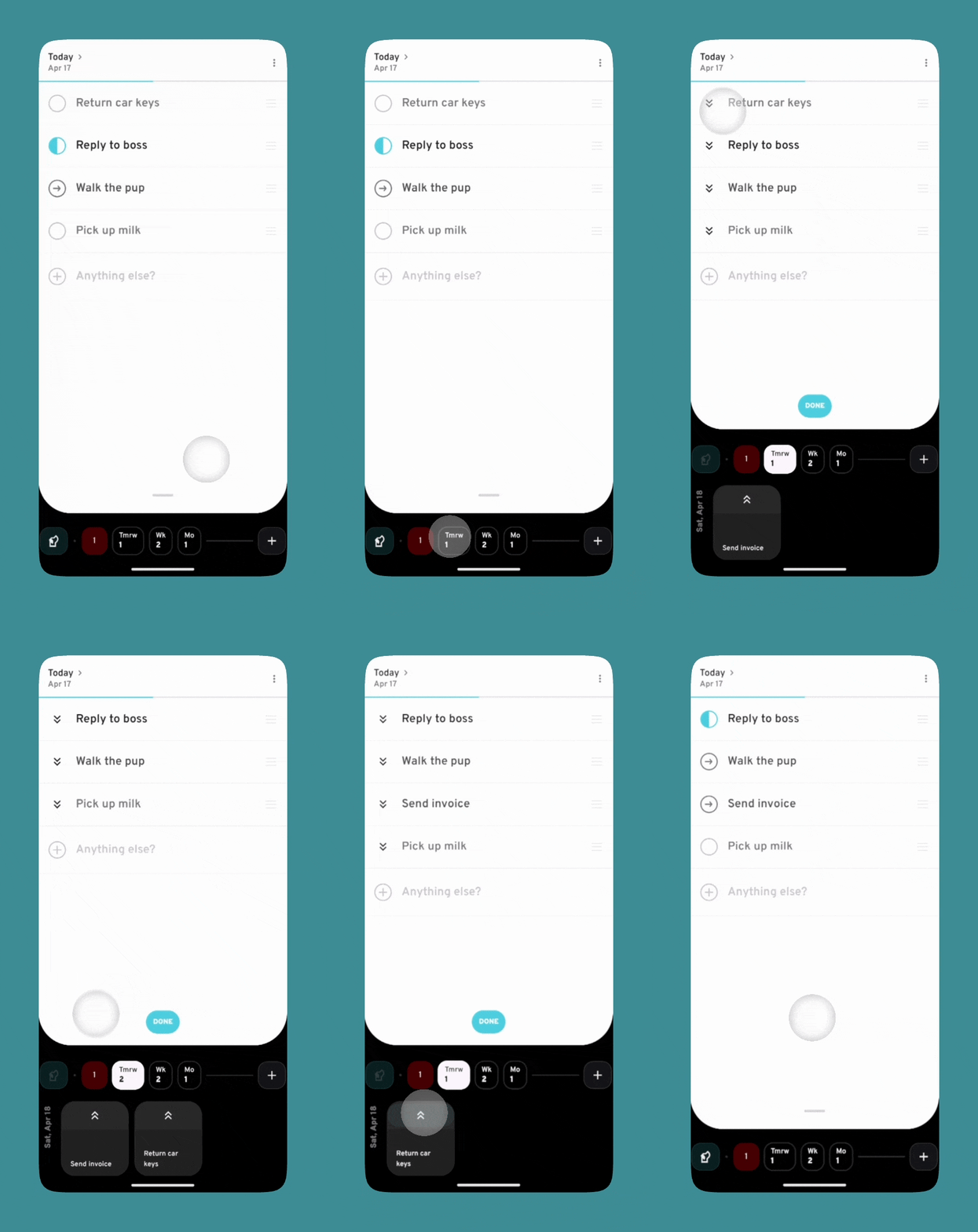
Tap a chip to enter Shift Mode.
Quickly move items from today to the selected time by tapping a reminder’s ⏬.
If you have time to take on more today, you can also move items from the selected time into today by tapping their ⏫.
Pro tip: you can move items out of today without entering Shift Mode. Just drag a reminder and drop it onto the desired time’s chip.
Search
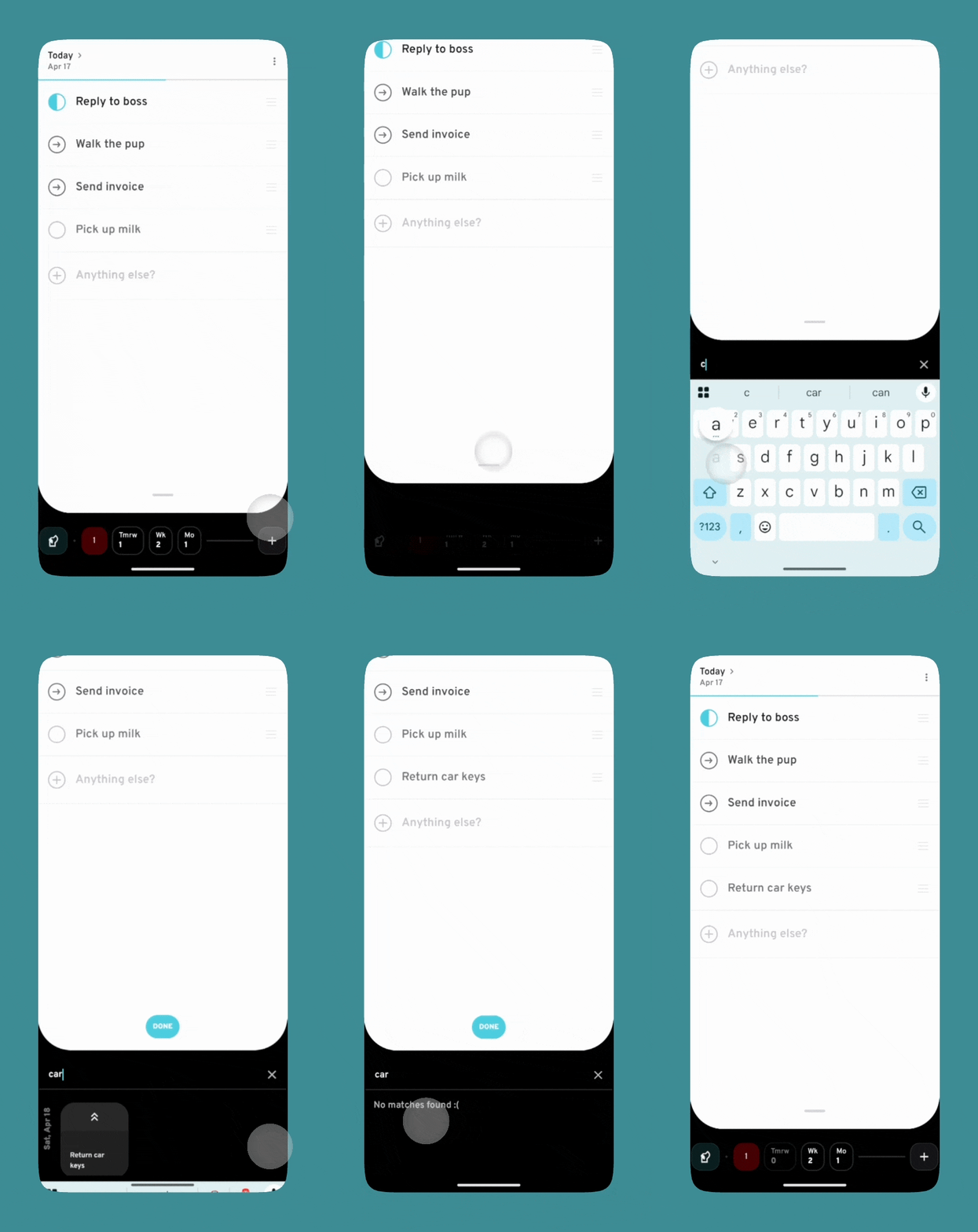
And if you can’t remember when you scheduled something, pull up your Today list from the handle bar to search.
Move results just as easily into Today.
Advanced Entry
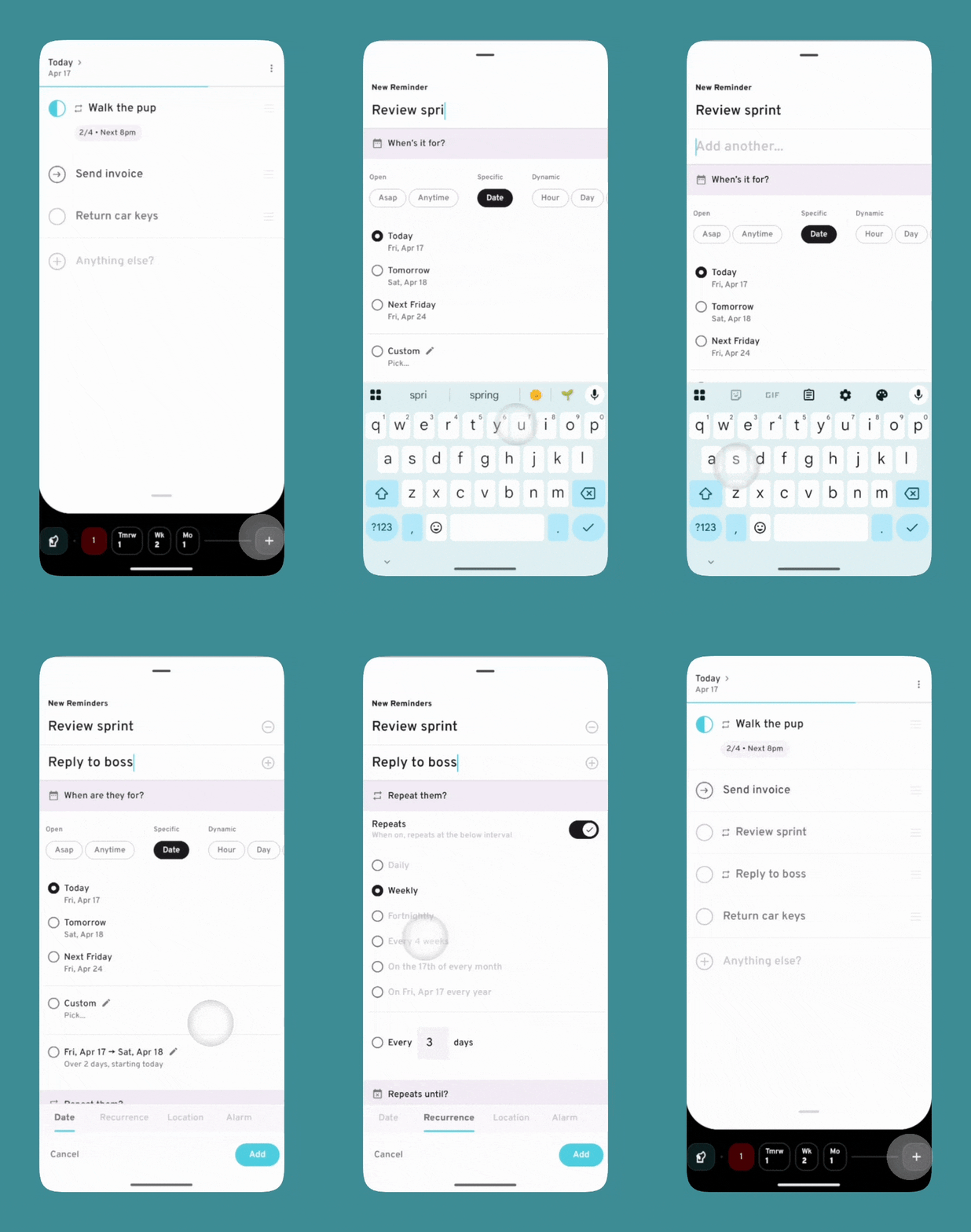
Tap the plus in the Command Bar to open Advanced Entry.
Use it to add items to today or later with more detail, such as recurrence or location.
Pro tip: add multiple items in one go. Enter a title, tap the plus, and keep going.
Immersive Mode
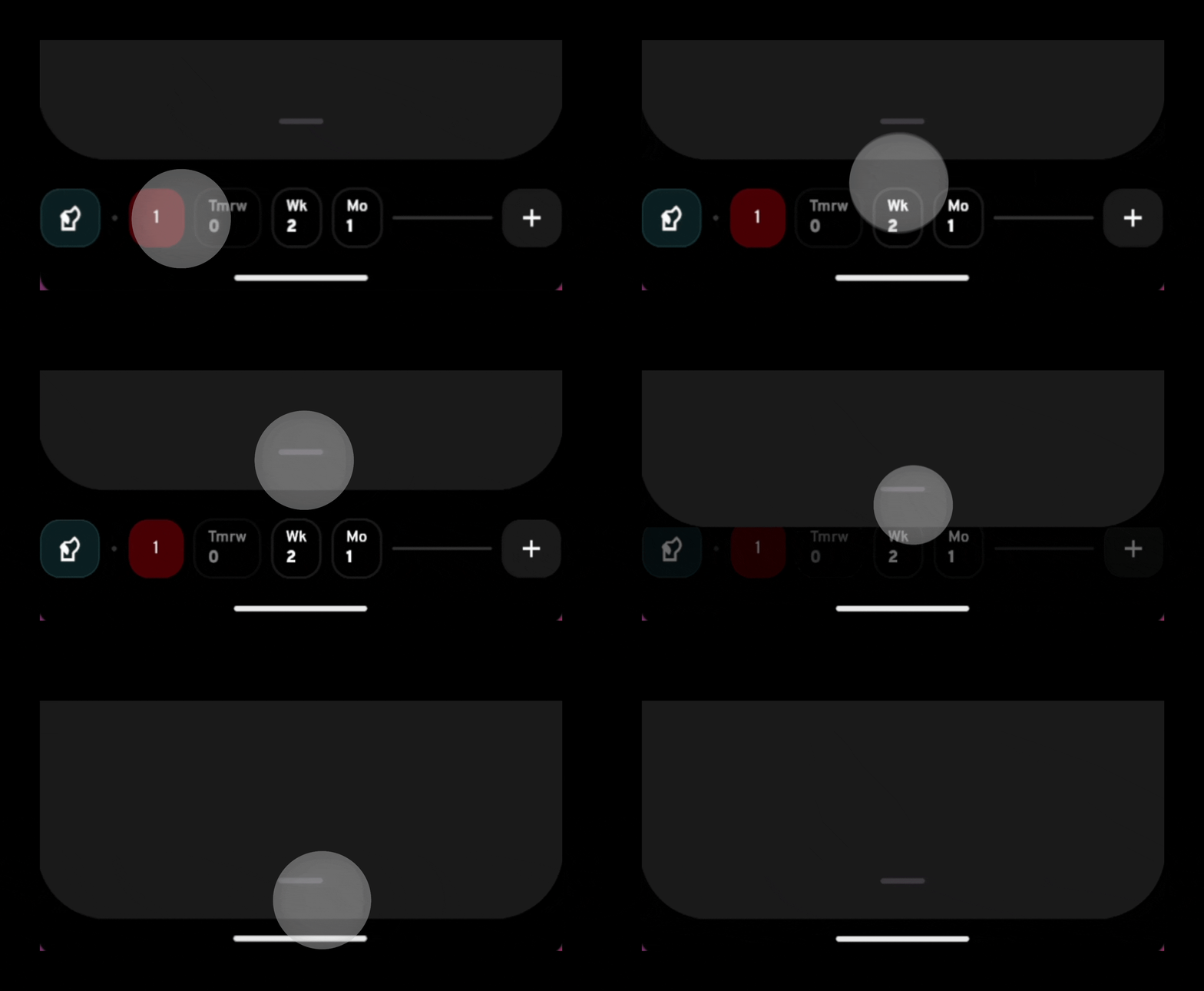
To lock into today, pull down its handle bar to hide the Command Bar.
Why it Works
Simple. By giving you the tools to have a productive day.
Reactive vs Proactive
/riˈæktɪv vɜrsəs proʊˈæktɪv/
1. A to-do list holds tasks. They sit and wait for you to take action — passive by nature 😴
2. A reminder app brings them to you. Right time, right place. Its must-do attitude gets things done 💪
Alarms
Get Chased Into Action
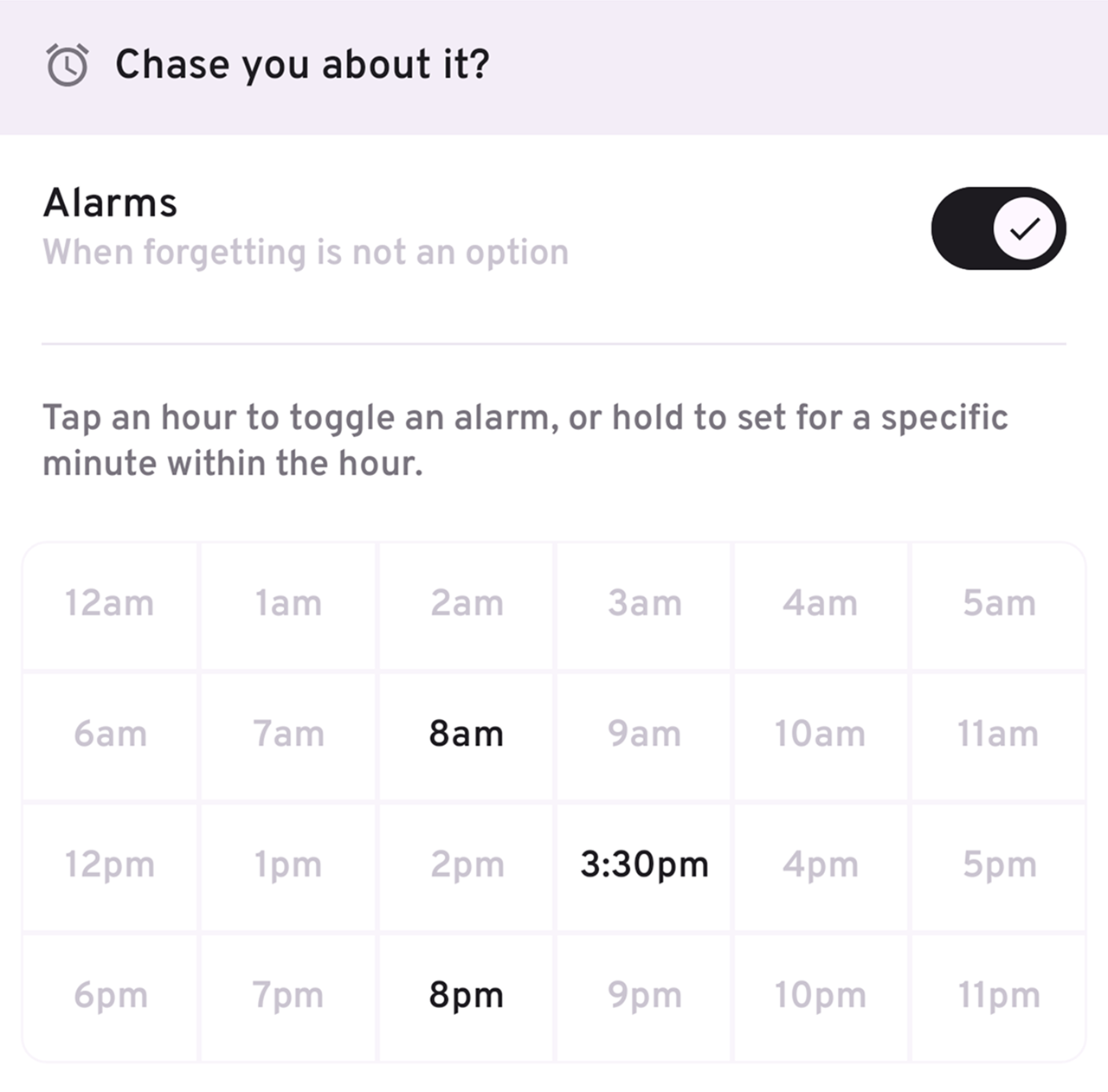
When you add a reminder, you can quickly set multiple alarms throughout the day.
Pro tip: long-press on an hour to choose an exact time.
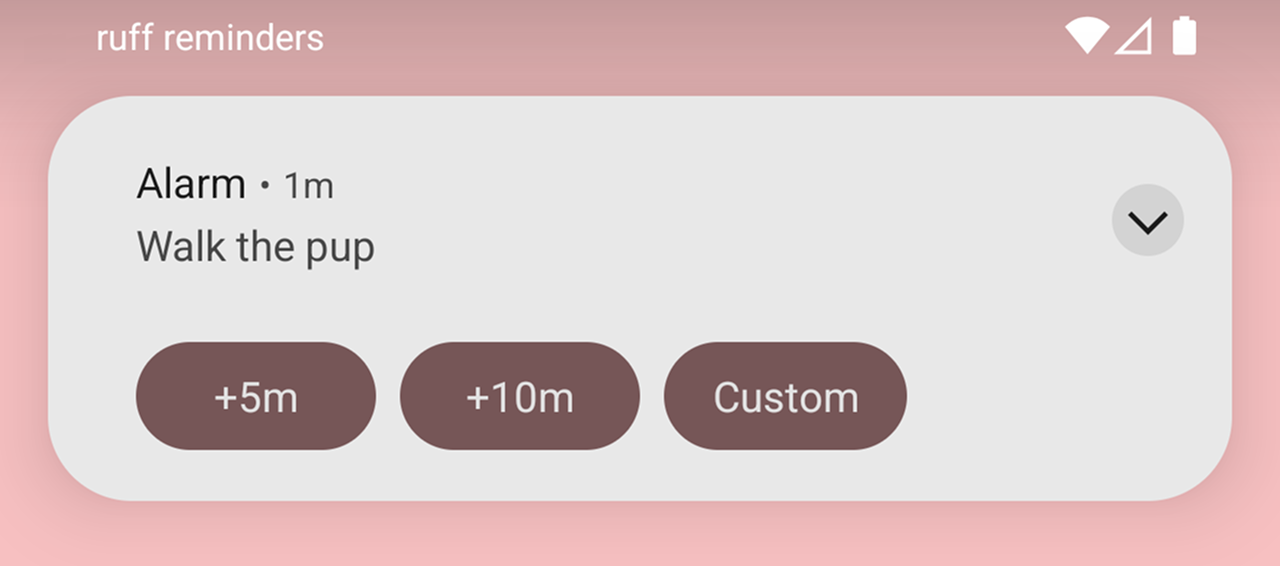
When an alarm rings, snooze for 5 or 10 minutes — or be more specific.
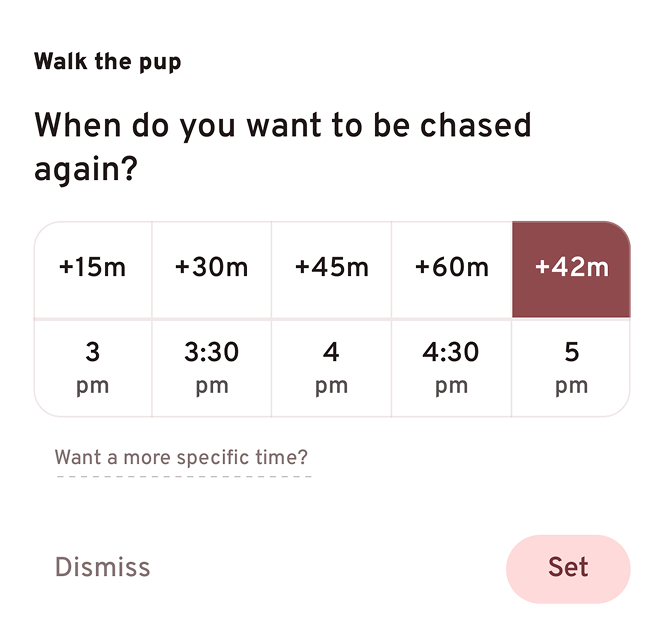
Choose exactly how many minutes before you’re reminded again.
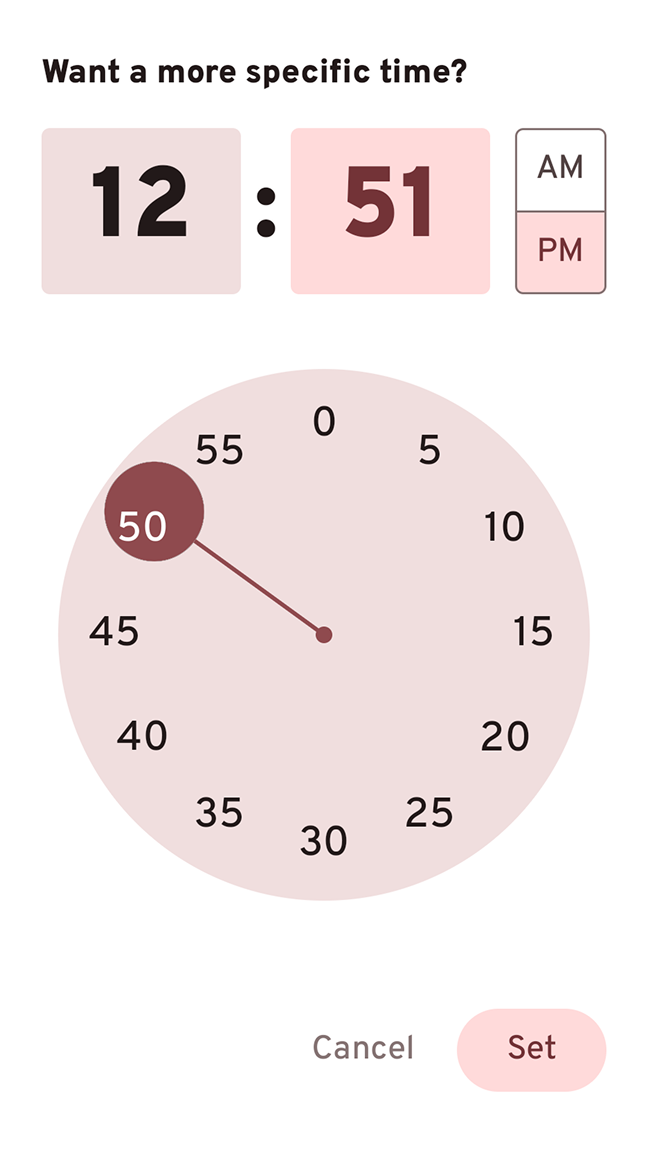
Or an exact time even.
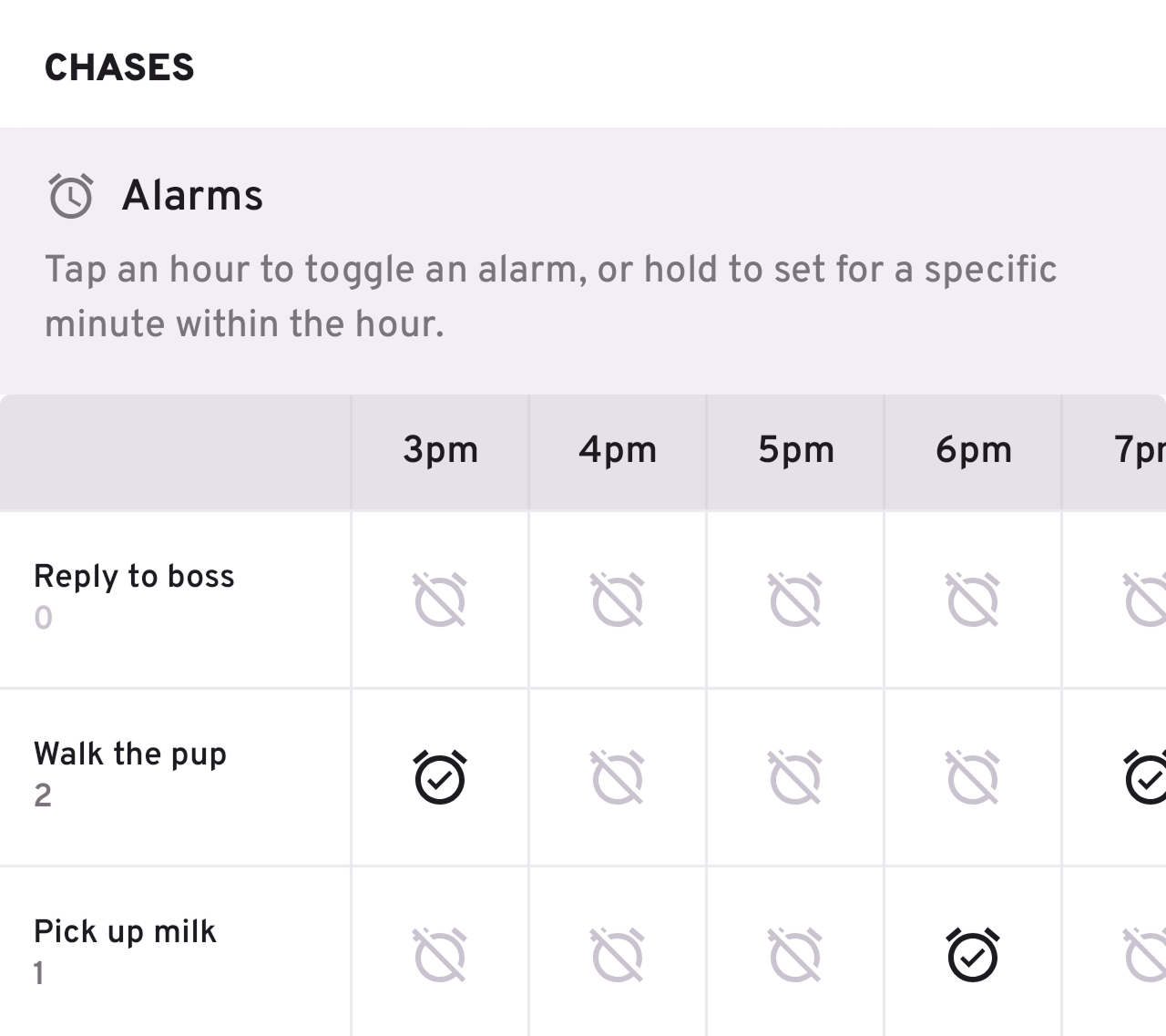
Tap the pup in the bottom-left to see and manage all your alarms for the day.
Notifications
Gentle Nudges
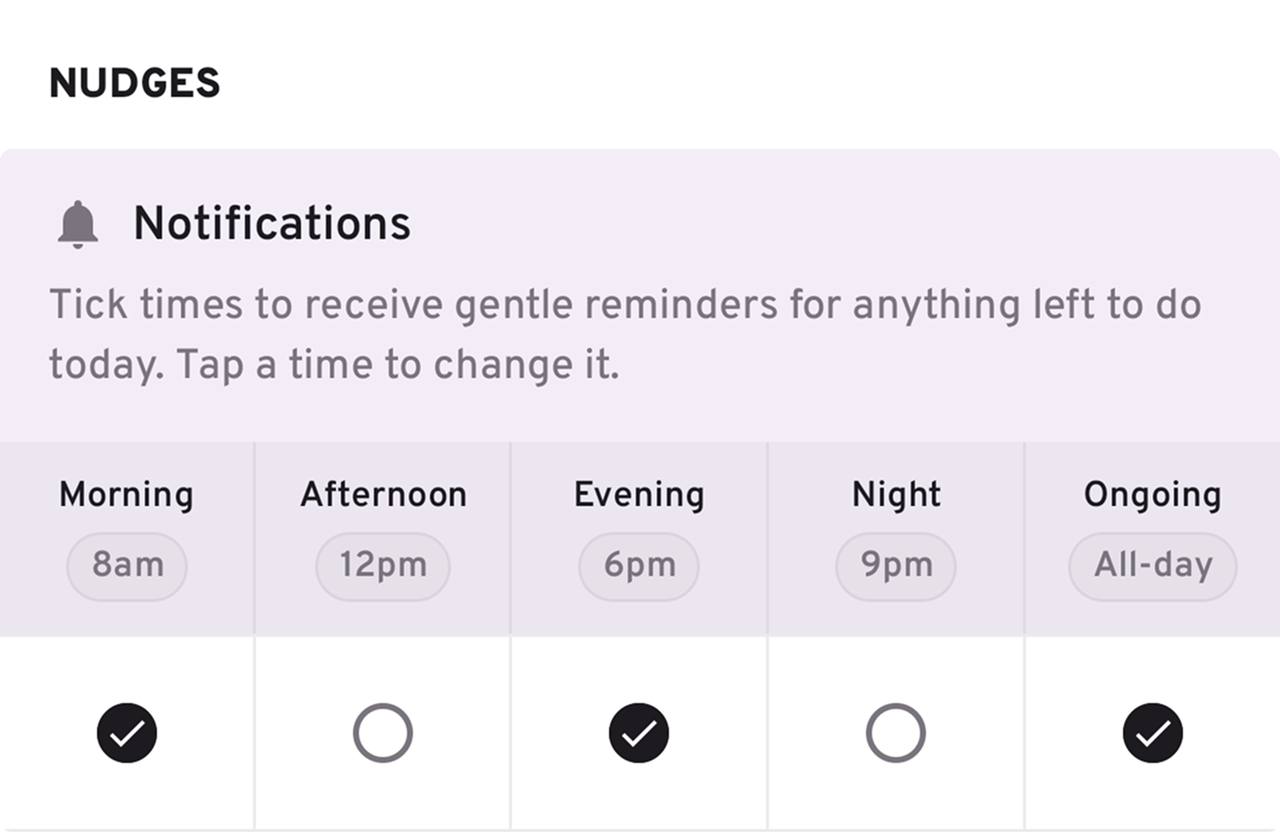
You can also opt for less intrusive check-ins throughout the day.
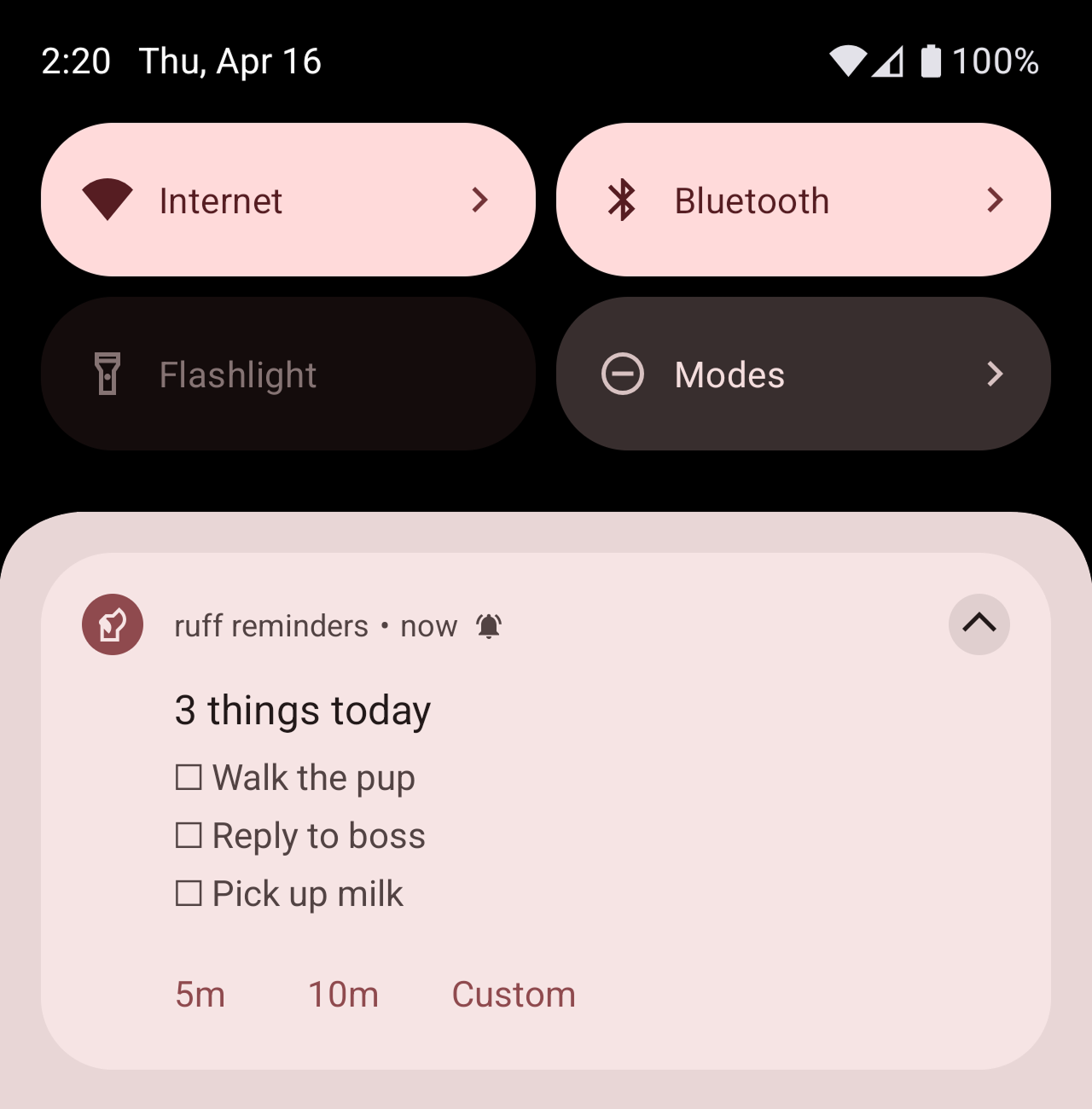
At your chosen time, you’ll get a list of everything still pending for the day.
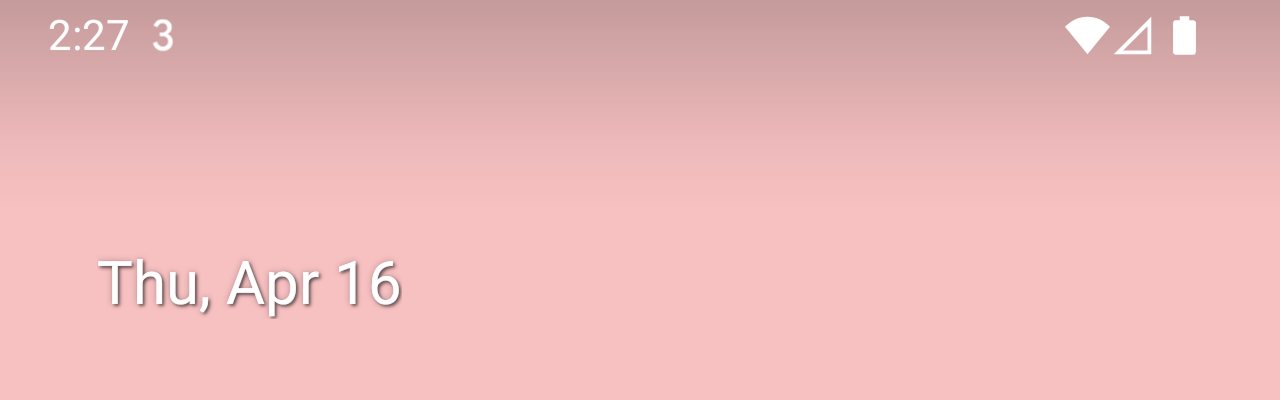
With “Ongoing” enabled, you’ll always see a count of everything pending in your status bar, with the full list in your notification tray.
Widget
A reliable home
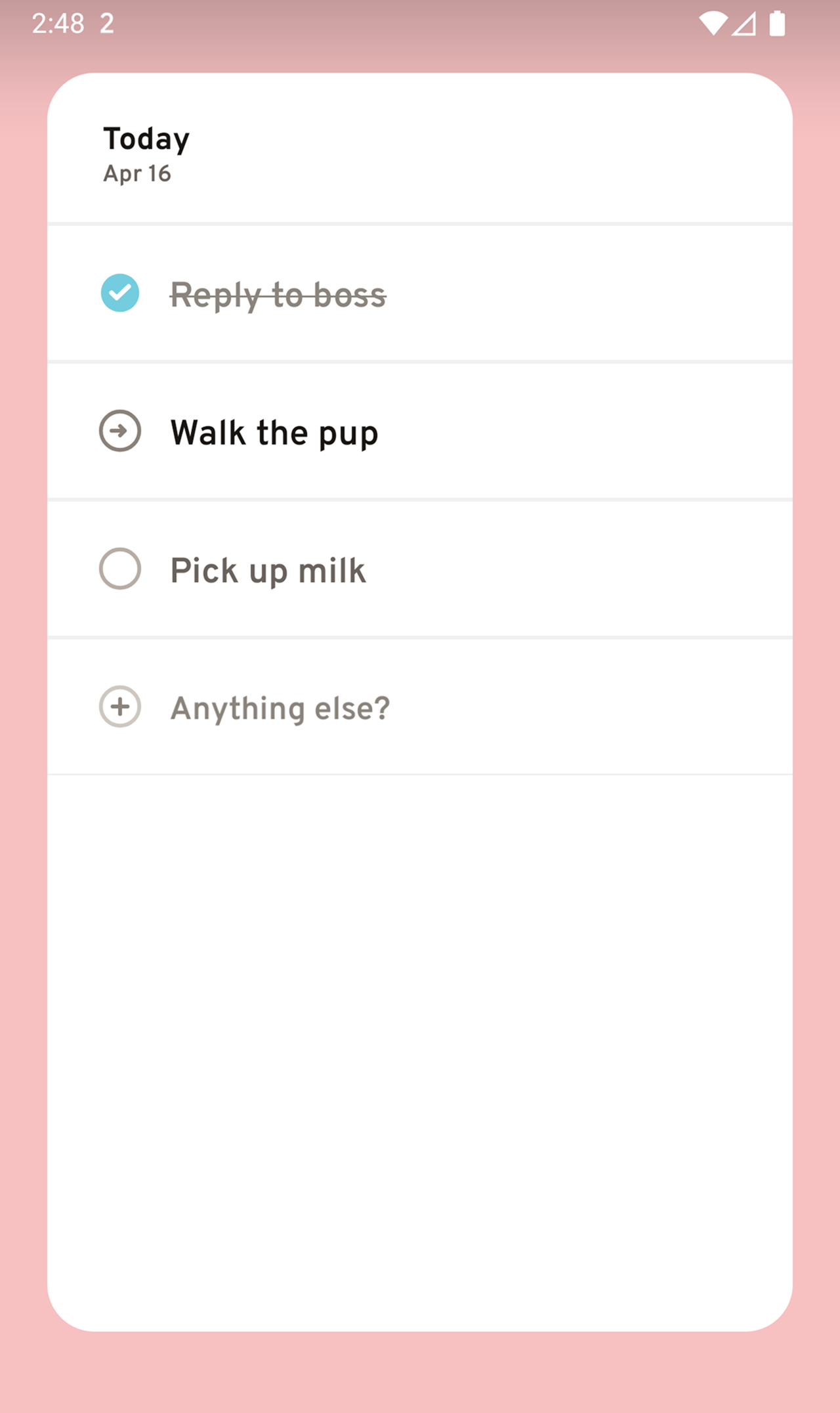
Work through your day right from your home screen — no need to open the app.
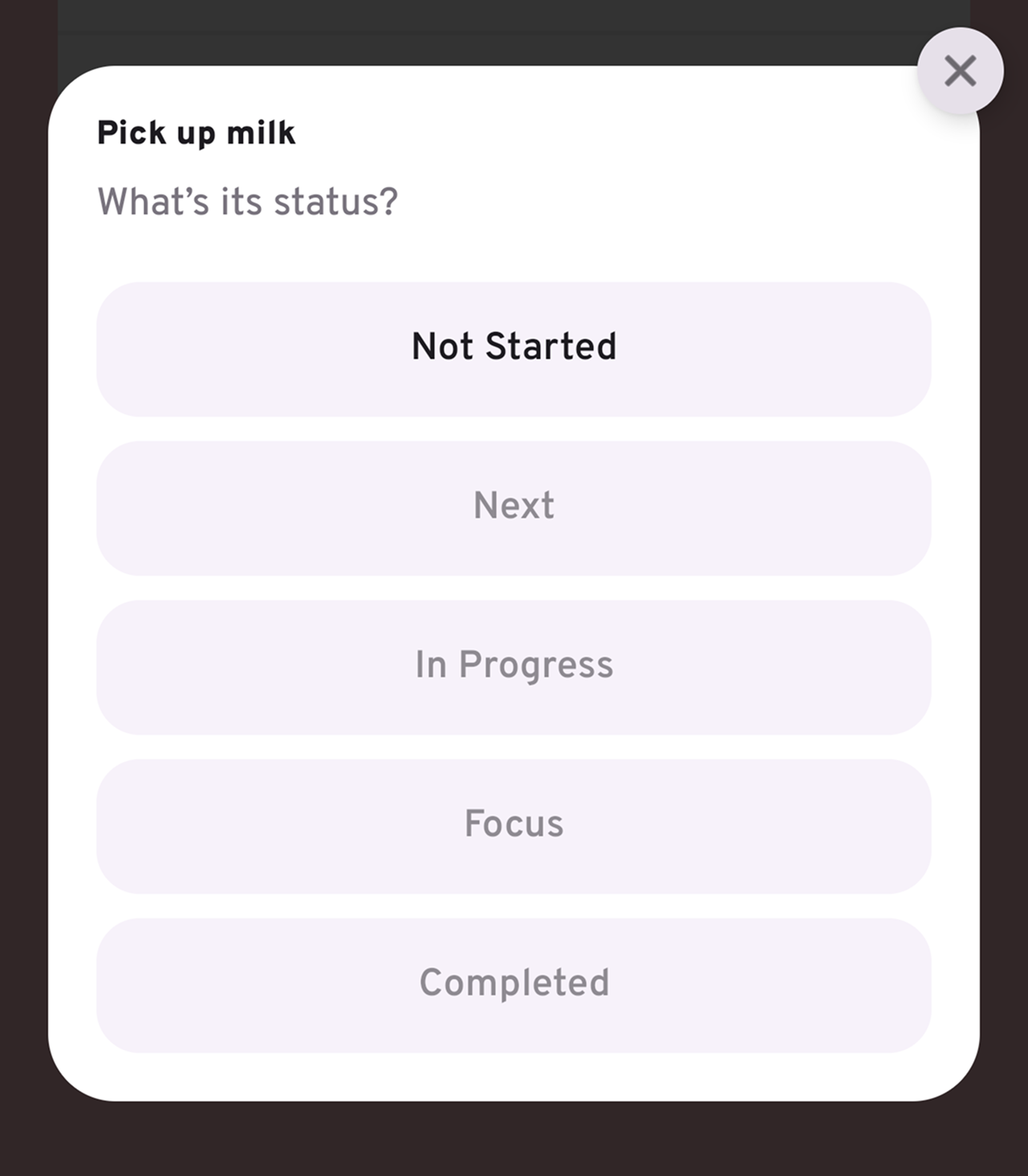
Tap on a checkbox to update the status of your tasks.
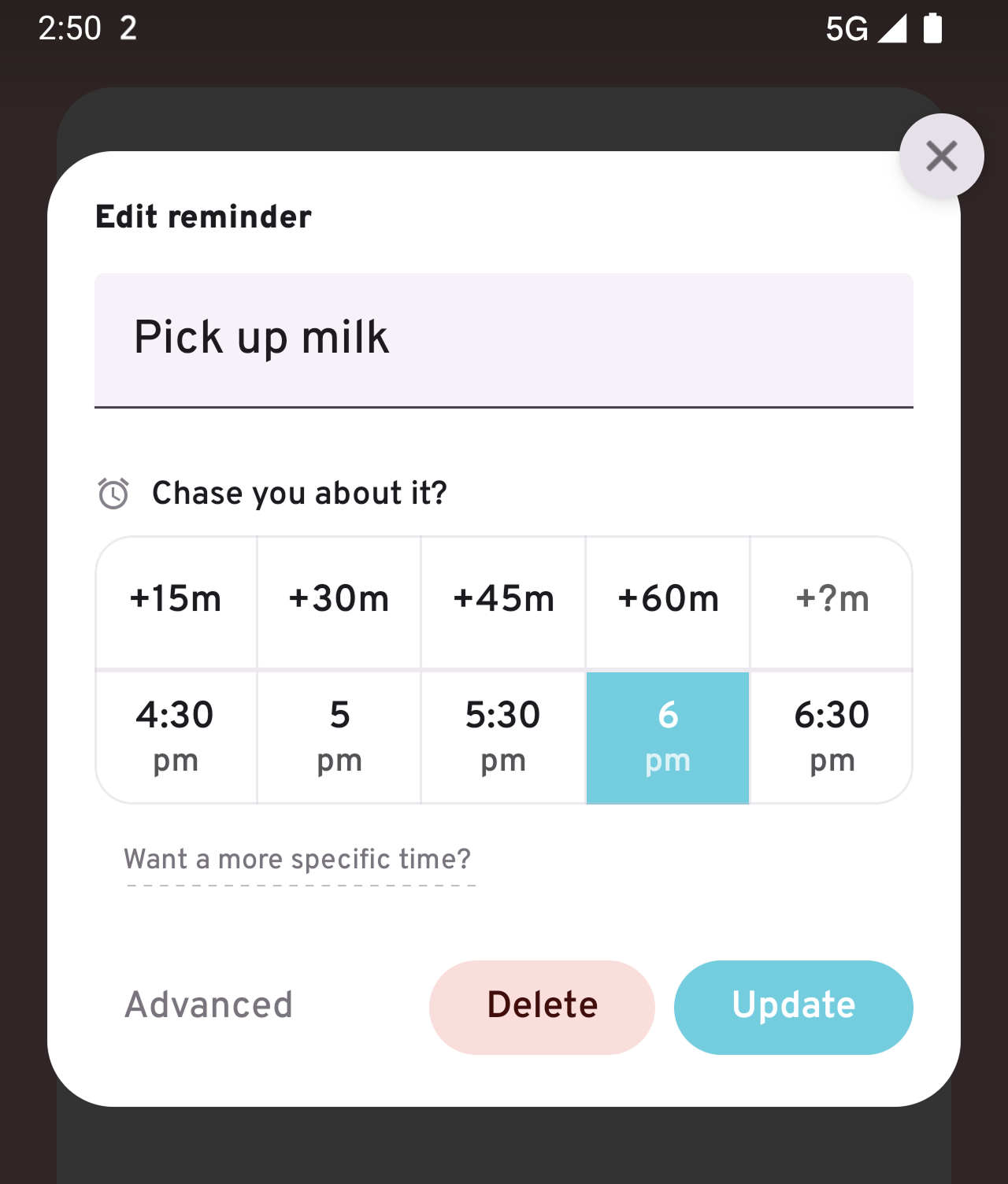
Tap on the title for a quick change or set up an alarm.
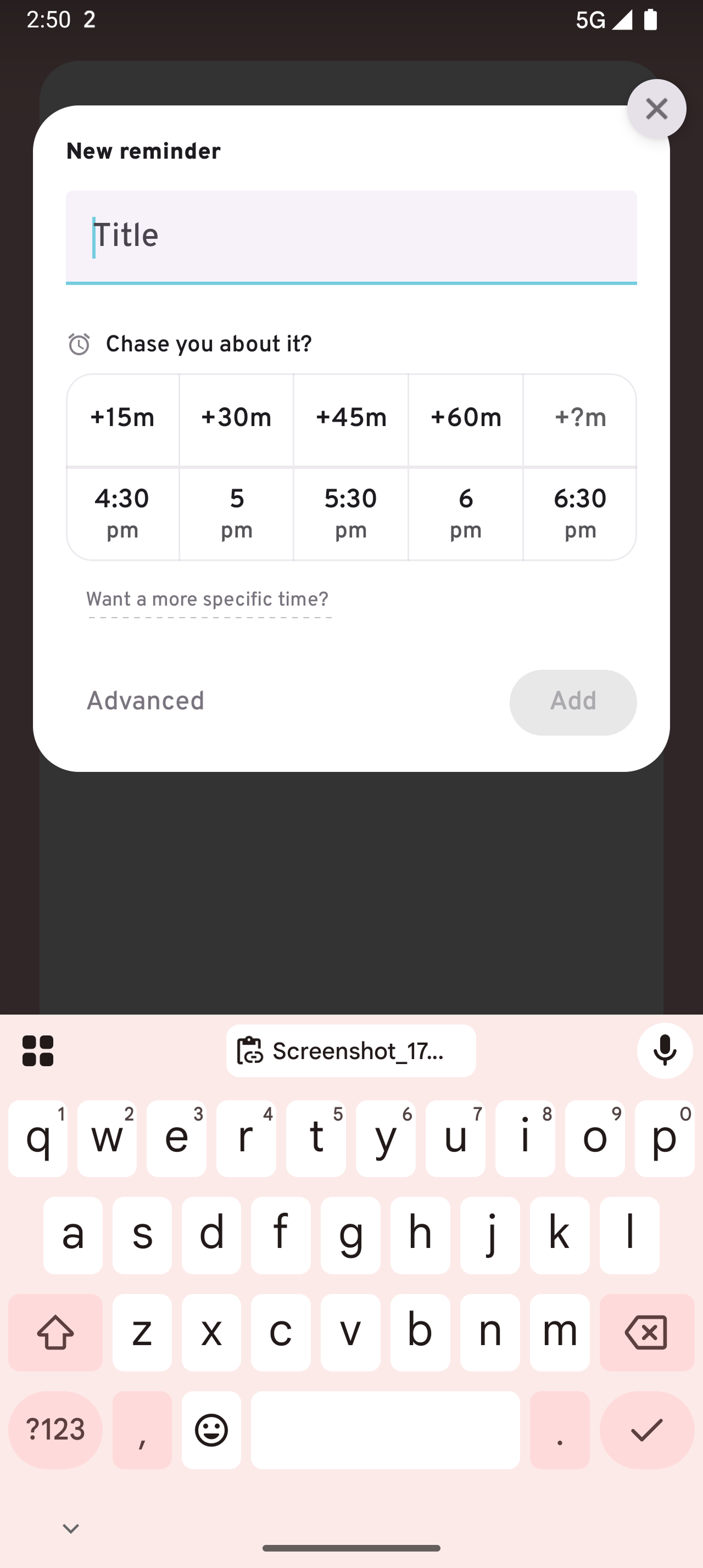
You can even add new tasks directly from the widget.
Where it Works
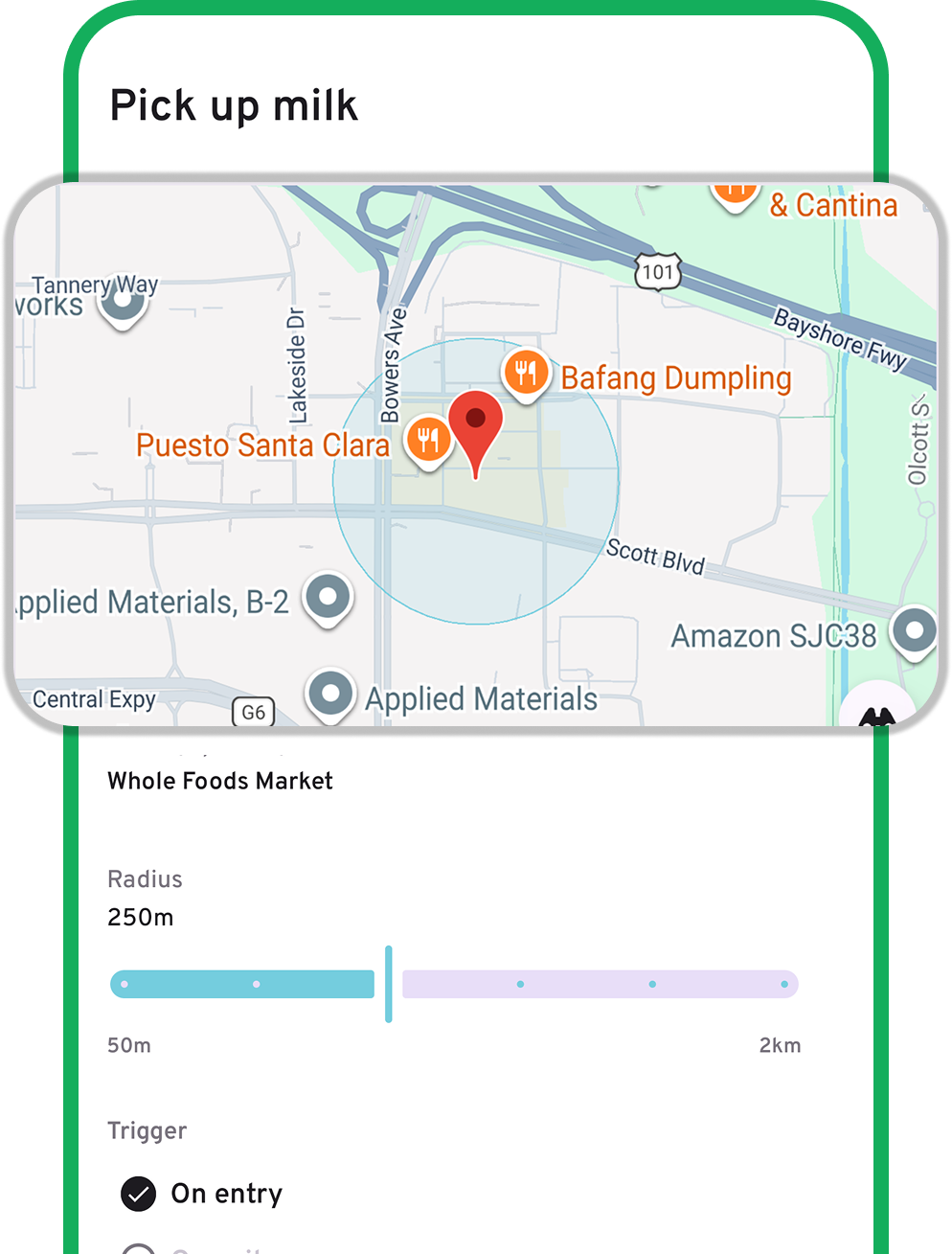
Create reminders that trigger as you pass by a location. You’re in control of how they trigger, from radius to times and days. For example, you can be reminded when you’re near a location on your way home from work, only on weekdays.
Dynamic Scheduling.
Plan loosely. No need to lock in an exact time. A rough idea is enough — ruff handles the timing, with the Command Bar highlighting when something is around the corner.
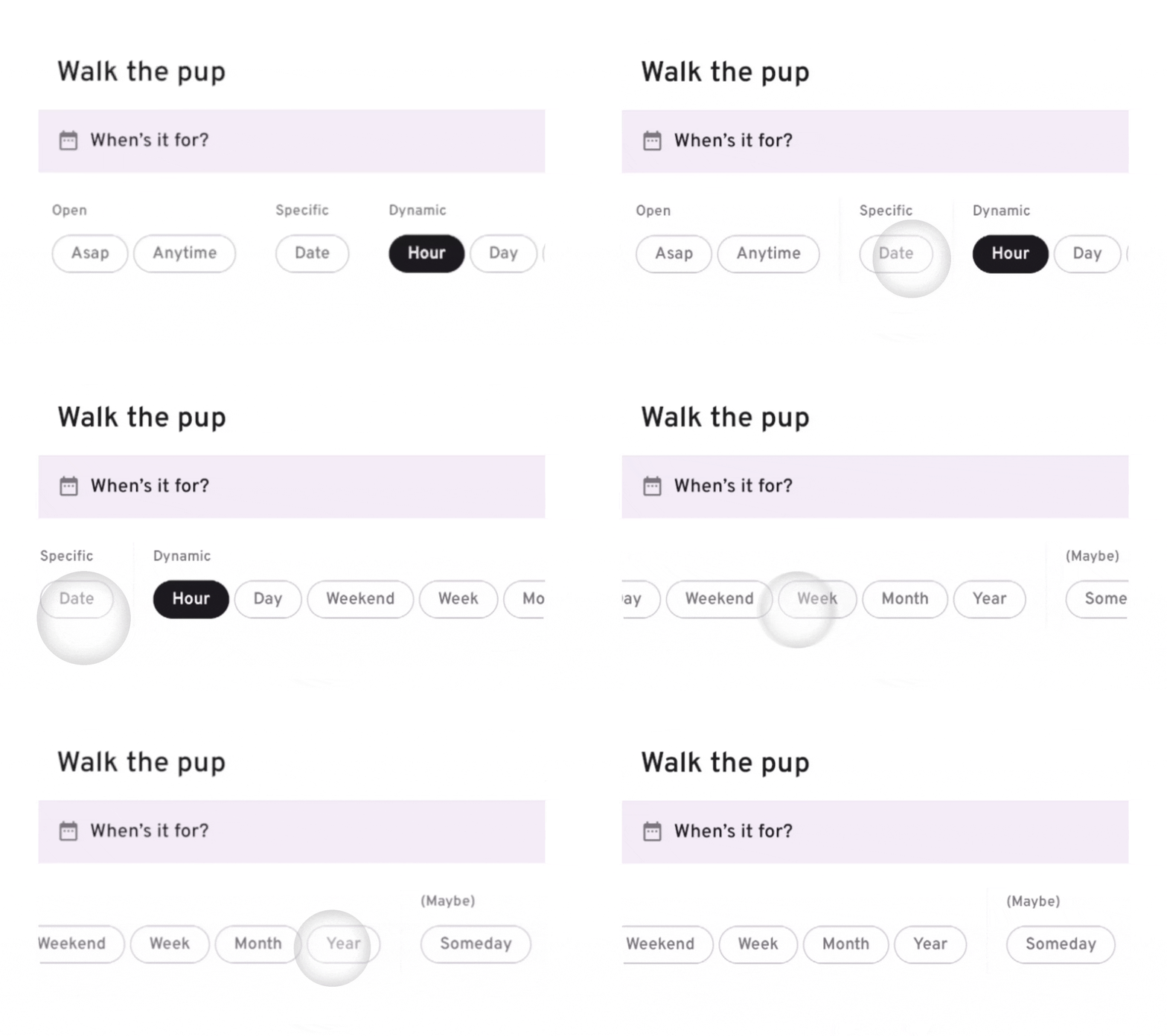
Set a reminder for a time that makes sense to you.
Smart Repeats.
Set things to repeat throughout the day at intervals that suit you. You can even specify the hours, like 9–5, or the days, such as weekdays only.
Repeats can be ongoing, have an end date, or — more uniquely — stop after a specific number of times.
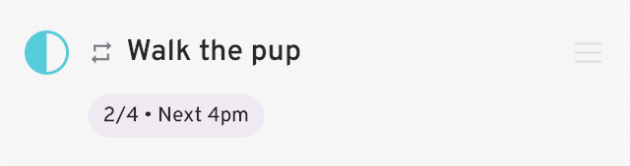
A reminder every 4 hours during waking hours—2 done, 2 to go.
Dynamic scheduling + smart repeats = game changer
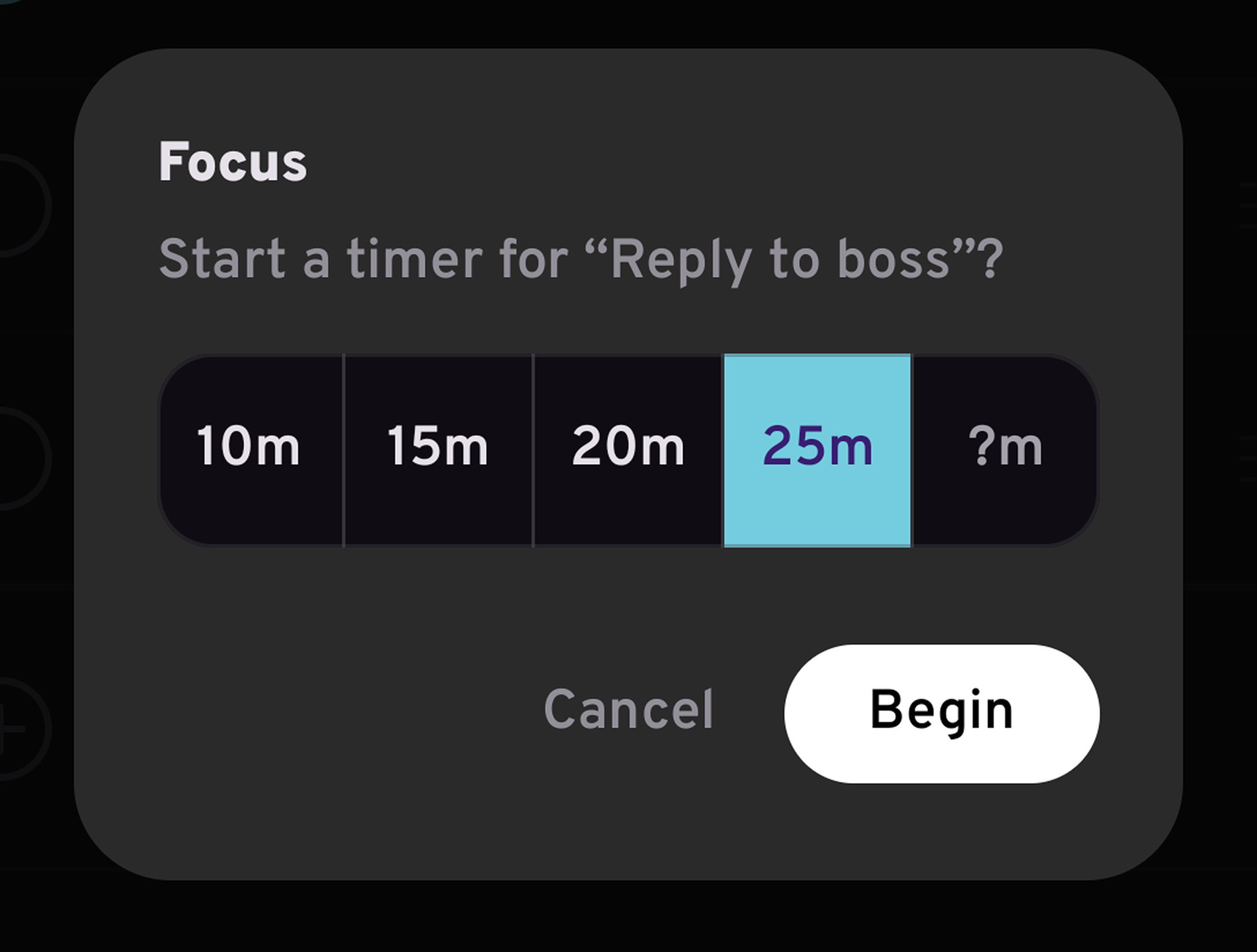
LOCK IN
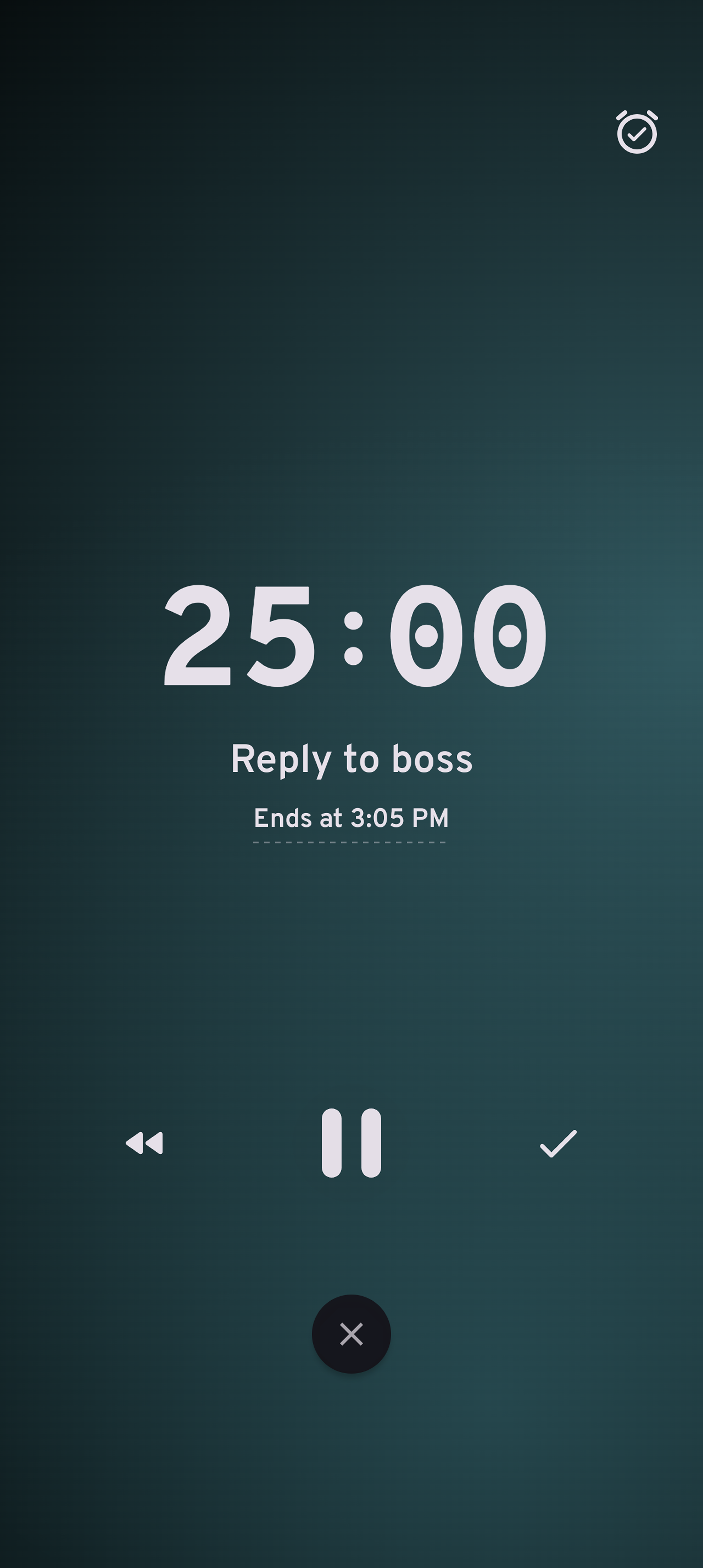
When a task is in progress, tap its checkbox to set a timer and stay focused until it’s done.
FULLY
INDEPENDENT
MADE WITH 🖤 IN LONDON
ruff Reminders is funded entirely by users.
No ads, no data collection, subscribe or pay once.
Plus
Billed monthly. Cancel anytime.
- Snoozable alarms
- Timely notifications
- Always-on display counter
- Natural language support
- Dynamic scheduling
- Shift mode
- Smart repeats
- Location triggers
- Focus timer
- Today widget
- Hard-working pup
Prices vary by country to fairly reflect local purchasing power.